
From SSH setup to AI work in one place.
A macOS app for SSH host management, port forwarding, completion alerts, and continuing AI sessions.
macOS 14.0 Sonoma or later · Apple Silicon & Intel · unsigned preview build
Operations in one view
Manage Hosts, Keychain, Port Forwarding, Snippets, notifications, and current work state from the same screen.
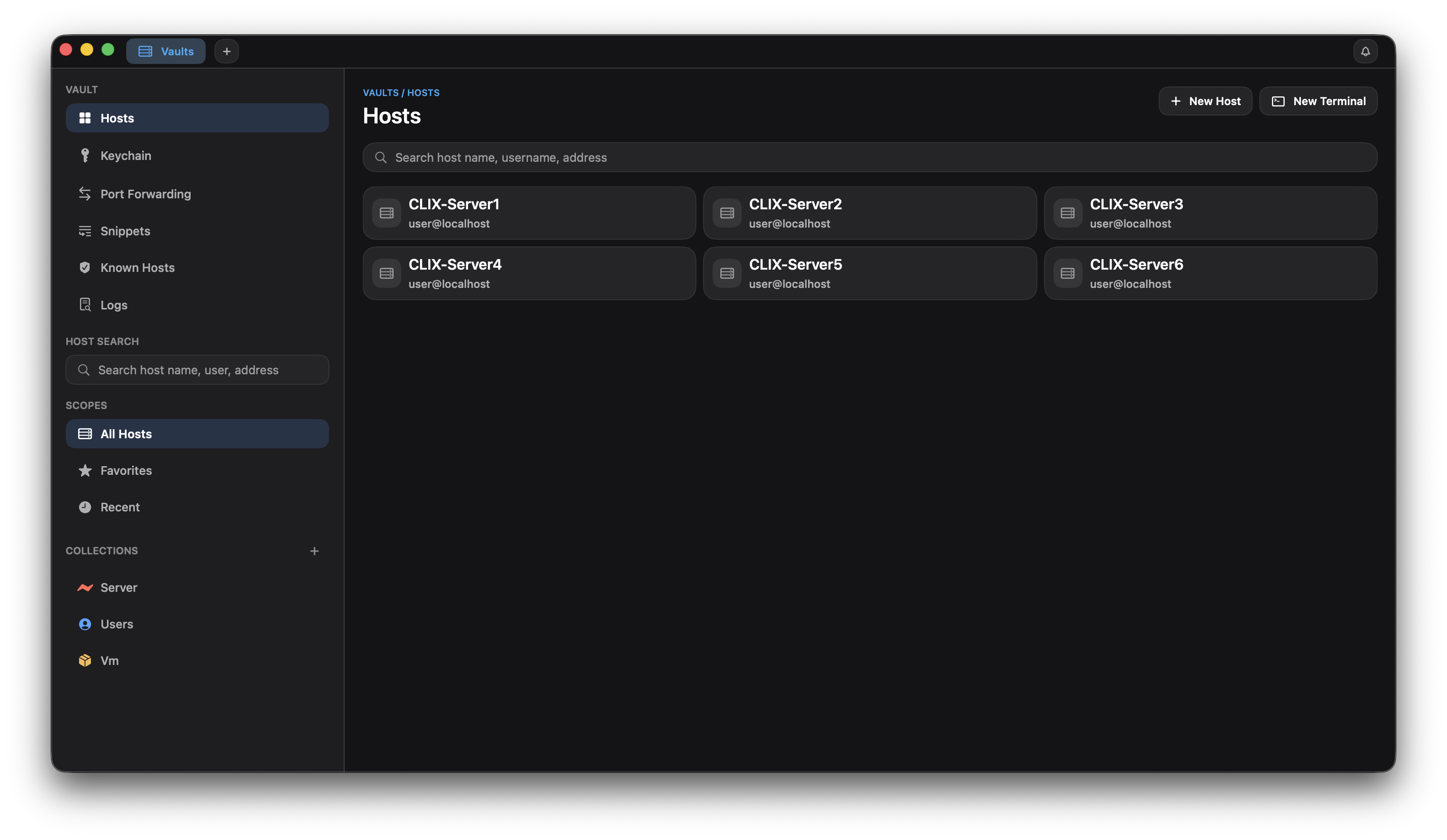
The main CLIX view with hosts, credentials, forwarding rules, snippets, notifications, and live work state together
Keep AI completions and follow-up work,
handled inside CLIX.
On first launch, CLIX prepares hooks for Claude Code, Codex, and Gemini CLI, then routes completed work to in-app and macOS notifications automatically. Use clix-pick to continue AI sessions in another terminal.
clix-notify In-app notifications
If you are not already looking at that session, CLIX stores the result as an in-app notification automatically. You can pick it up later from the notification panel and session badges.
macOS notifications Automatically delivered
Even when CLIX is not in front, completed work can arrive as a macOS banner. Clicking the notification takes you straight back to that session tab.
clix-pick Continue a session
Pick an AI session from another CLIX terminal and continue it interactively. By default, it can filter down to sessions where a specific CLI is still running.
Control the browser
from the terminal.
AI agents open tabs, interact with elements, and verify results using clix-browser commands — without leaving the terminal.
Open & Navigate
Open a tab once with open, then use navigate to change URLs. The tab is reused across the session.
Interact
Run snapshot to get ref numbers, then click, fill, or press to interact with elements.
Verify
Capture the result with screenshot or run JavaScript directly with evaluate.
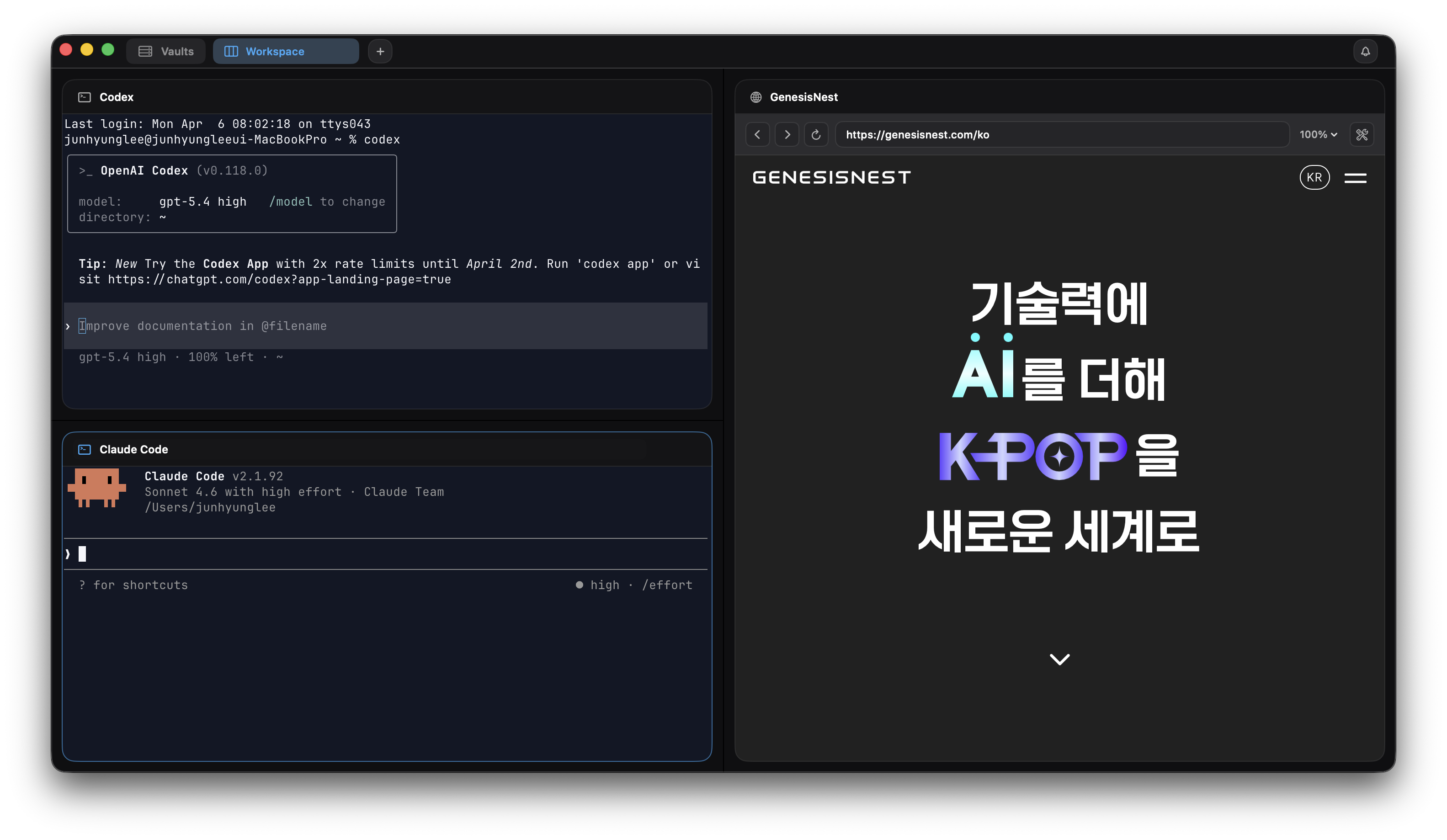
Terminal workspace
and session recovery.
Move between sessions, run saved snippets, and continue recovery and reconnect flows after reopening the app.
Session switching
Move between open terminal sessions quickly from the workspace sidebar.
Run snippets
Save repeated commands as snippets and run them directly in the current session.
Recovery and reconnect
Restore open sessions and continue reconnect flows after restart or wake-from-sleep.
Session Flow
Open and group sessions
Keep local terminals and remote sessions inside the same work group when they belong to one task.
Run saved snippets
Reuse health checks, deploy prep commands, and repeated SSH utilities without retyping them.
Recover and reconnect
Restore the last workspace state and continue reconnect flows after restart or wake-from-sleep.
Servers and credentials,
all in one place.
Hosts, SSH keys, jump hosts, port forwarding, favorites, and recent connections — all in one place.
Host collections
Organize servers into Production, Staging, Personal groups. Find any host instantly with tags, favorites, and recent connections.
Credentials & Keychain
SSH keys, PEM files, and passwords stored securely in macOS Keychain. No plain-text storage.
Jump host routing
One-click connection through bastion hosts. Works with complex network topologies.
Port forwarding
Local, remote, and dynamic (SOCKS) forwarding configured in the UI. Automatic port conflict detection.
Preflight checks
Review destination details, credentials, routes, and forwarding state in SSH Preflight before you connect.
Diagnostics
When a connection fails, inspect known_hosts, the SSH wrapper, and stderr output in Diagnostics to find the cause quickly.
Download CLIX
for Mac.
macOS 14.0 Sonoma or later · Apple Silicon (arm64) · v0.1.1
Unsigned build. After downloading, open the zip and right-click → Open to bypass Gatekeeper.